Soochi
Enabling mom-and-pop stores to go digital

Using design thinking and technology to digitize hyper-local stores and enable them to expand their presence online.
Understanding
Problem
With over 12 million mom-and-pop stores in India that operate offline, accounting for over 90% of all food and grocery shopping, there lies immense market potential for these businesses in going digital. With Soochi, we aim to provide a one-stop solution that can help such businesses build an online presence easily.
Interviews
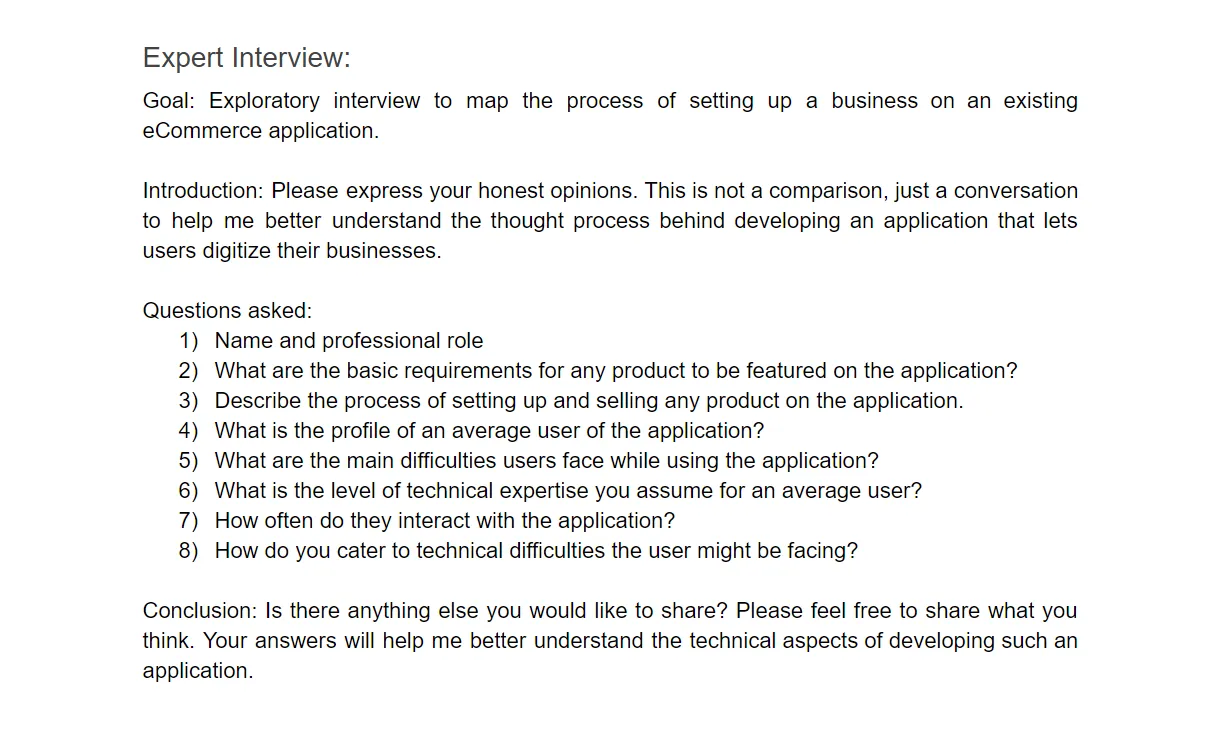
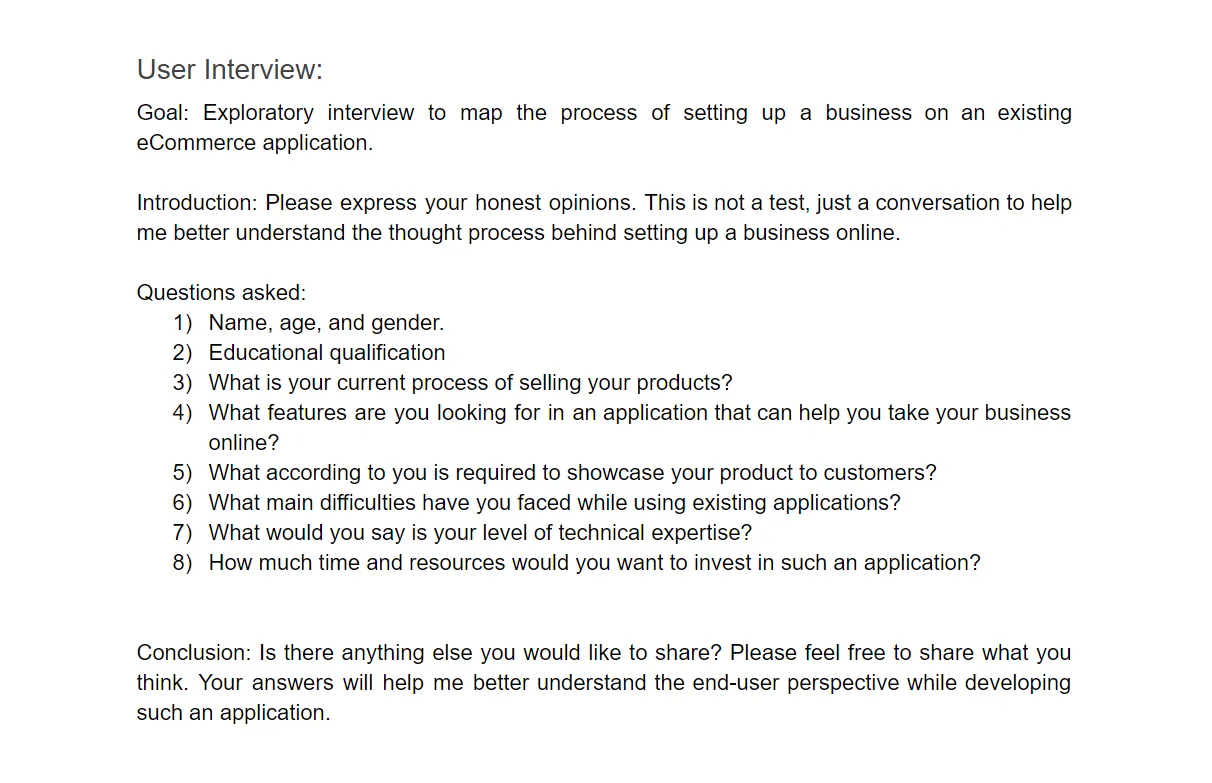
We conducted semi-structured interviews with three domain experts (eCommerce application developers) and six potential users (owners of hyper-local stores).
We were looking for answers to the following main questions:
- What is their process of selling a product?
- What are the main difficulties faced in existing eCommerce applications?
- What parts of their current business process would they want to take online?
- How has their relationship been with technology in the past?
Usability Testing
We conducted initial usability testing to identify usability problems in our competitors’ software.
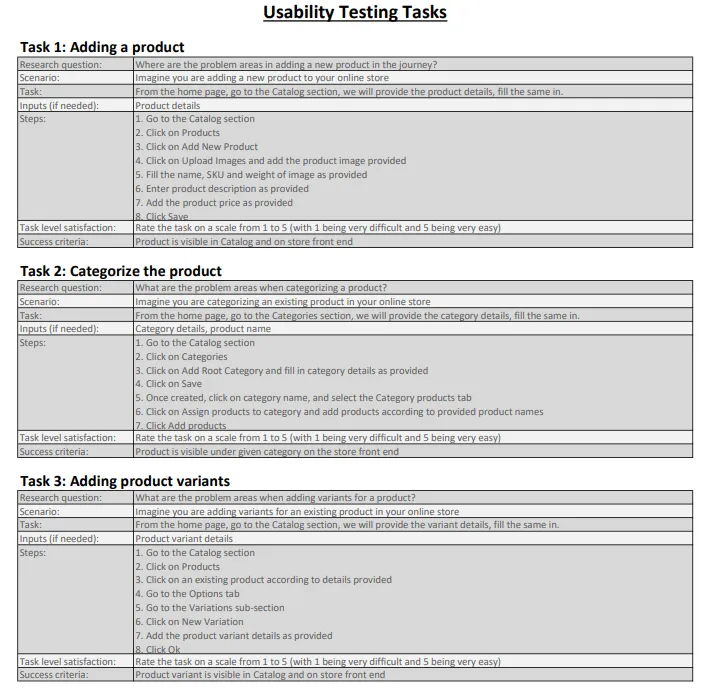 View Usability Testing Tasks
Meet Heema Das. She is the owner of a tiffin service she runs, along with a team of four women.

“I dropped out after 10th grade and started a business of my own at 32. Now in this digital age, I lose out on customers since I don’t have an online presence and no easy way to manage my inventory. Existing applications are too complicated for someone like me with no technical knowledge.”
What She Needs
- An e-commerce application of her own that can help her reach more customers.
- A high degree of automation, that can help her manage her inventory effortlessly.
- A user-friendly solution, that does not have a steep learning curve.
The User Journey
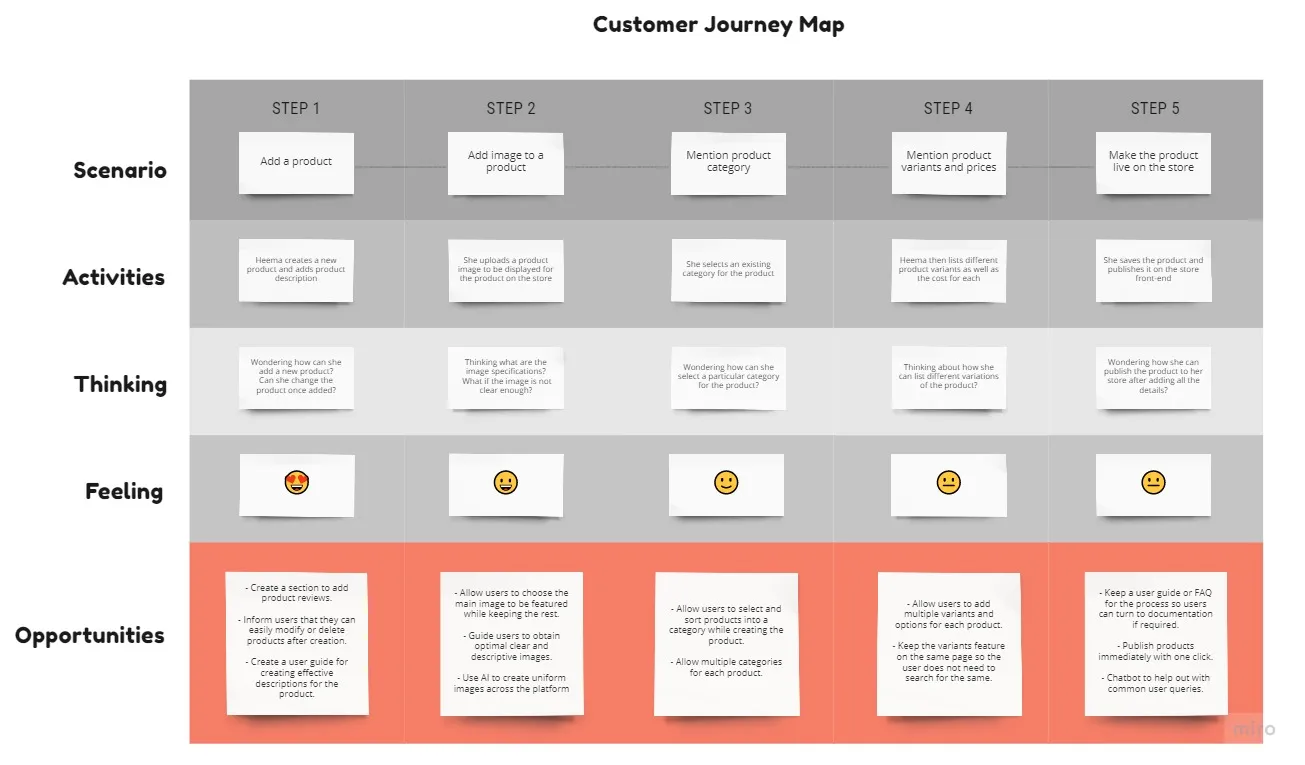
Based on the user research, we've mapped the journey to provide the big picture of the current experience along with the main pain points. The main outcome here is the opportunities section that gathers ideas that can possibly solve the user's pain points once turned into features of the system.
Design Challenge
How might we create a solution that helps hyper-local stores digitize their business with a straightforward application that accommodates all user needs?
Converging Ideas
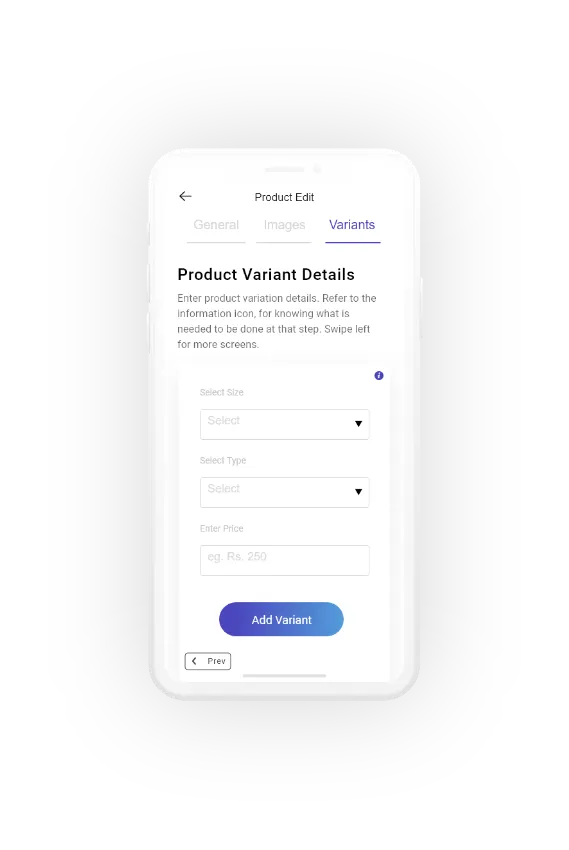
The main point that the solution tackles is a user-friendly backend that requires low technical skills allowing most hyper-local stores to set up their businesses online, while also accommodating functionalities that they would need.
Scrutinizing our research data, and ideating solutions back and forth with the stakeholders, we derived an approach that bridged the gap between lack of technical expertise and businesses going digital.
The Solution
Why Back End First?
We learned that end-users of e-commerce applications (customers) are satisfied with the various front-end solutions currently available.
Hence, considering our allocated budget and timeframe, we chose to focus on the back-end instead of the front-end, which will be used by the store owners, and then expose our APIs to be integrated with existing front-end solutions.
“Any user onboarding is all about psychology: the early feeling of success and accomplishment will make the user come back.”
Progressive Onboarding
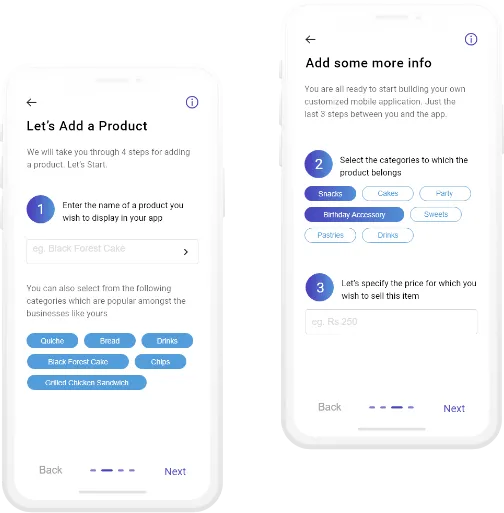
From our user interviews, we realized that the “moment of truth” for our application would be when a user adds a product to their store successfully.
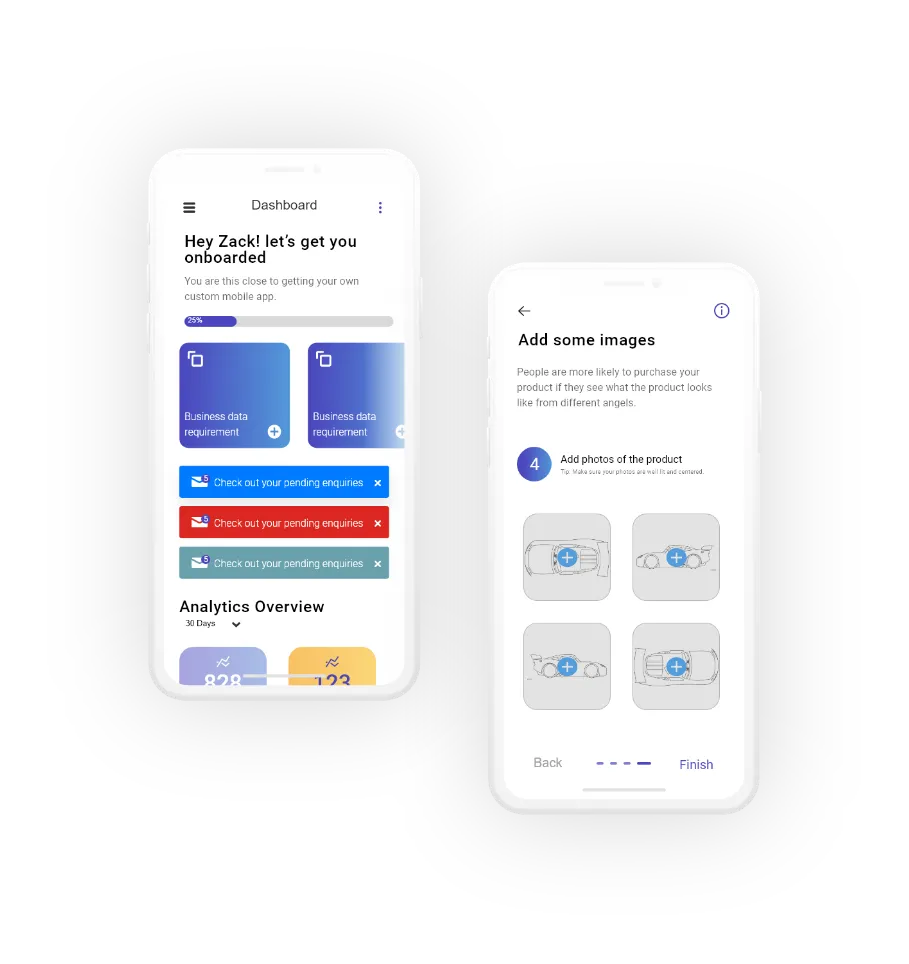
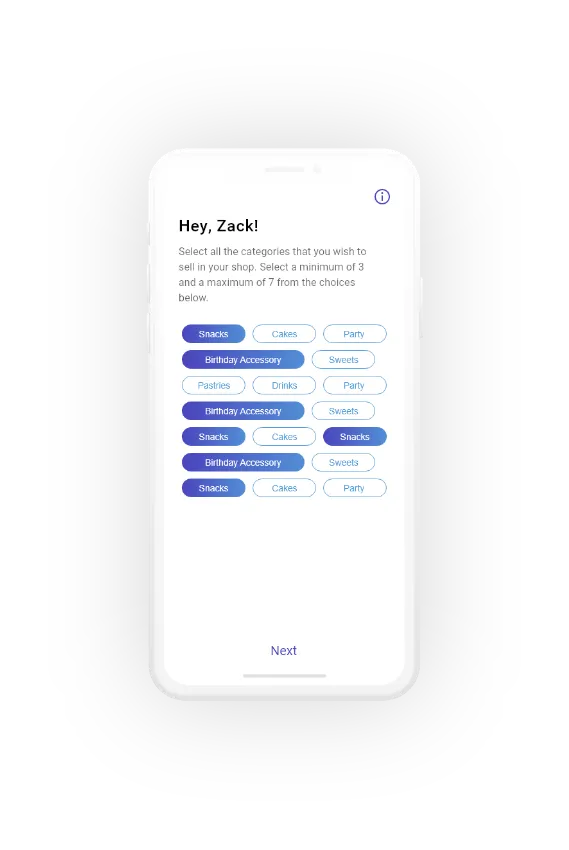
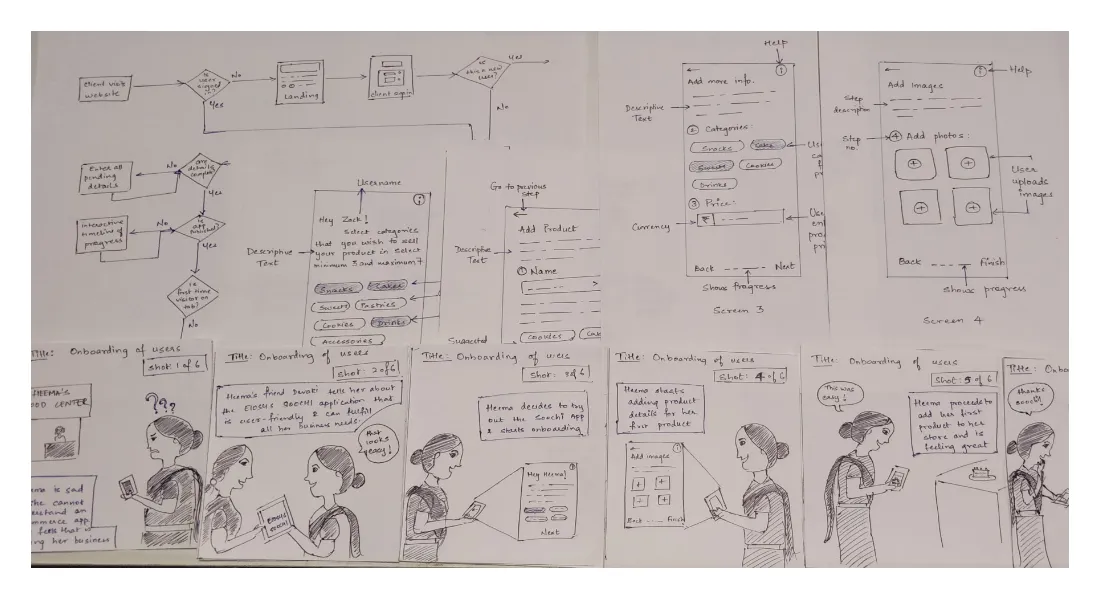
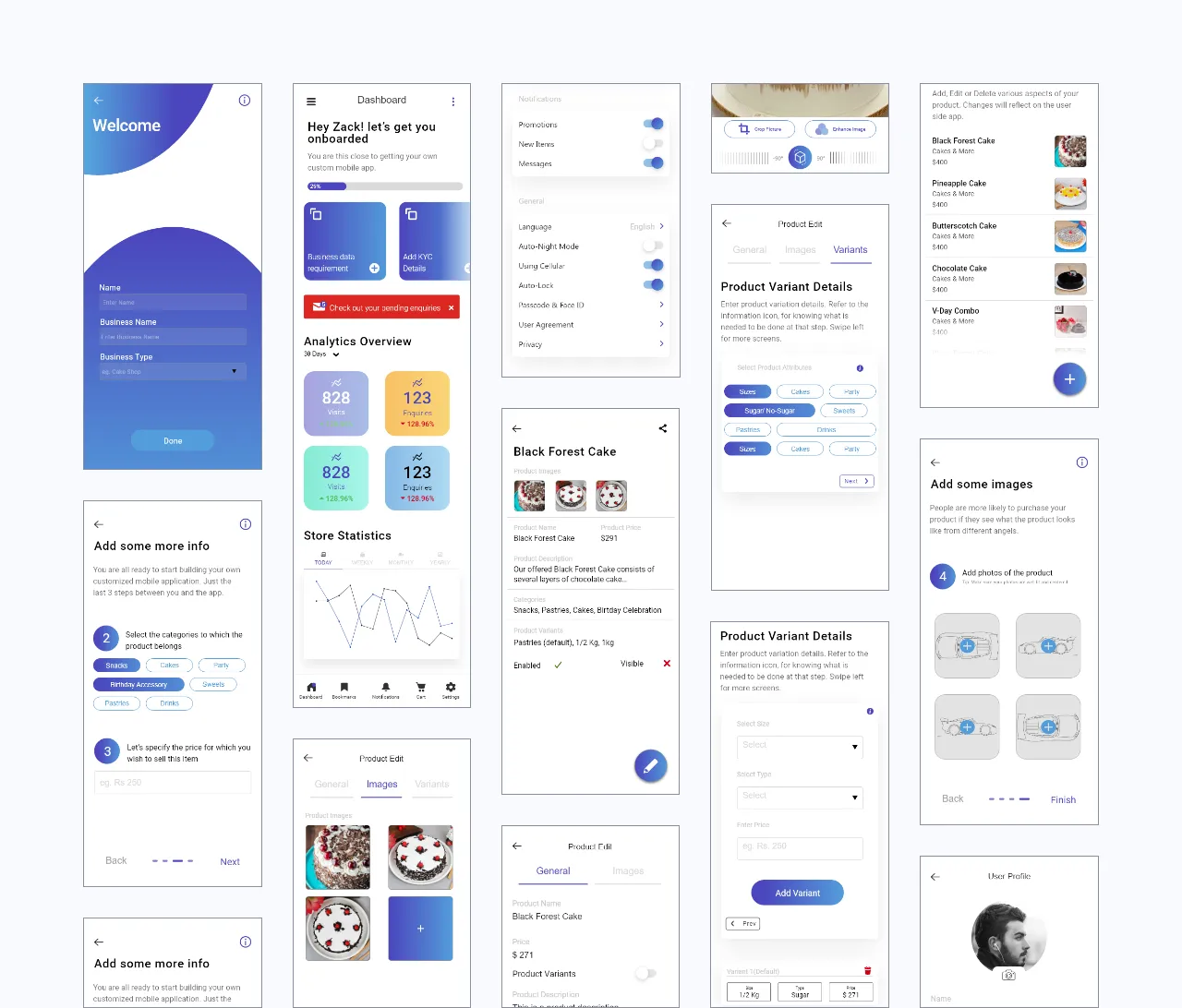
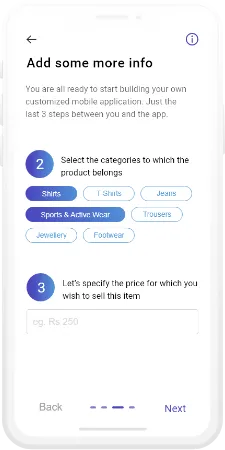
So, we created a progressive onboarding process, where we gave minimal input options to the user, instead suggesting common product names and categories they could choose from. Further, dummy images were provided that would inform them of optimal orientations, instead of other shiny illustrations.
AI-Powered Image Processing
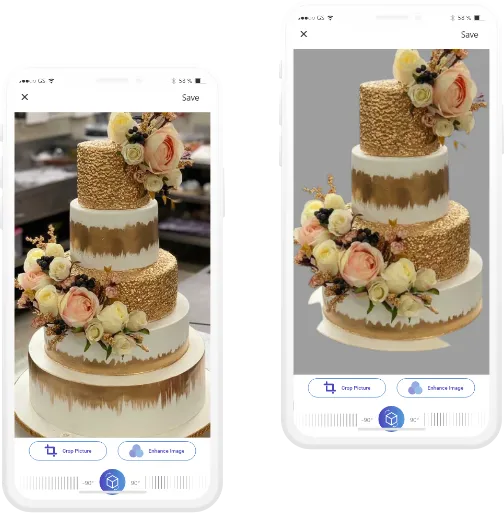
From our user interviews, we observed that store owners weren’t focused on clicking consistent, high-quality images of their products.
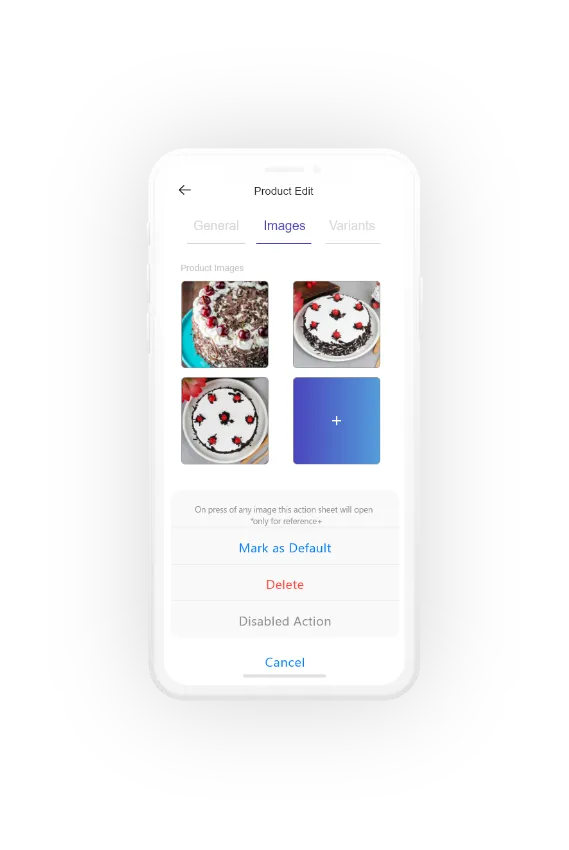
To solve this, we collaborated with a team of AI enthusiasts to integrate image processing to erase the background from the image and used artificial intelligence to determine and enhance the efficacy of the image against an existing e-commerce dataset. This ensured our image quality was on par with e-commerce standards.
Validating Ideas
The main goal of user testing was to identify usability issues, and more importantly, discover if the overall idea would actually help them in real life.
Learnings
- Users liked the simplicity of the application.
- Users were glad to find that the app could enhance images intelligently, removing the onus of them having to provide perfect images.
- Users found the application covered most of the functionalities they wanted and was easy to use, and they were confident this would help them in digitizing and expanding their business.
- Users would like the application to be available in regional languages as well (which was tackled in one of our design iterations).
- Users liked the progressive onboarding but said they would prefer a process that could be more specific for their industry.
Feedback-based Design Iterations
Regional Languages
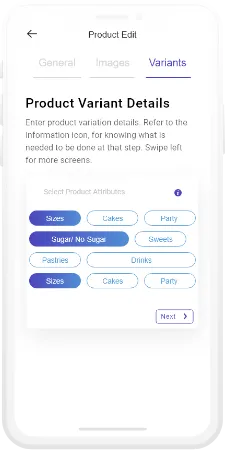
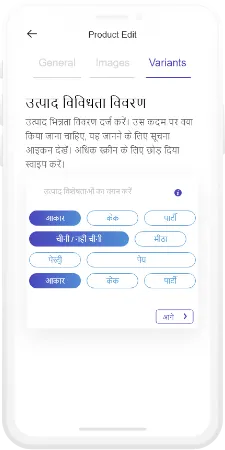
Based on user feedback, we added support for regional languages throughout the application. Users can now choose from 15 different Indian languages during onboarding and even change the language later if required from settings. This allows us to cater to a wider user base and enable more hyper-local stores to go online.
Industry-Focused Onboarding
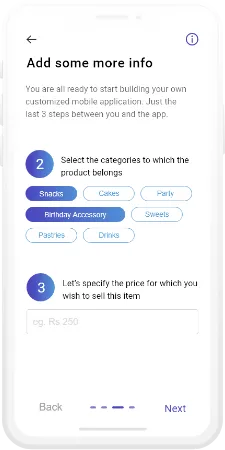
Based on user feedback, we introduced industry-specific onboarding processes, where users could select which industry their business belonged to, and proceed with a customized onboarding process. This made onboarding easier and more relatable, thereby also increasing user confidence in the application.
Learnings and Insights
01Design With Purpose
This project enabled me to connect with people and learn more about the challenges in their lives. I was able to design solutions that would make their lives easier, and it helped me gain a new outlook on product design.
02Data-Backed Results
2xmore completions
2x more test users could complete the usability testing tasks successfully with our designed solution.
45seconds faster
Test users took 45 seconds less to complete tasks.
40%more onboarded
40% more test users could onboard successfully without seeking help, after the addition of multi-language support.
2point satisfaction gain
The average task level satisfaction rose by 2 points, with test users rating all tasks to be easier than before.
03Next Steps
Further on, we aim to enhance the efficiency of our AI-powered image processing module, resulting in better product images. We also aim to build a complementary front-end solution to the application, thereby removing any dependencies on third-party applications.